What Is the Best Cloud PACS for Sharing Medical Images? A Buyer's Guide
Sharing a CT scan with a referring physician should take seconds, not a phone call and a burned CD. Many platforms still force radiology teams through manual exports, duplicate uploads, and scattered viewer logins. That friction delays consults and fractures the patient record.
This guide breaks down what to look for in a cloud PACS built for image sharing, from zero-footprint DICOM viewers to multi-location storage and AI-supported reporting. It also covers Medicai's features, pricing, compliance posture, and who benefits most, so you can decide whether it fits your practice.
What Is Medicai? The Cloud PACS Built for Sharing Medical Images
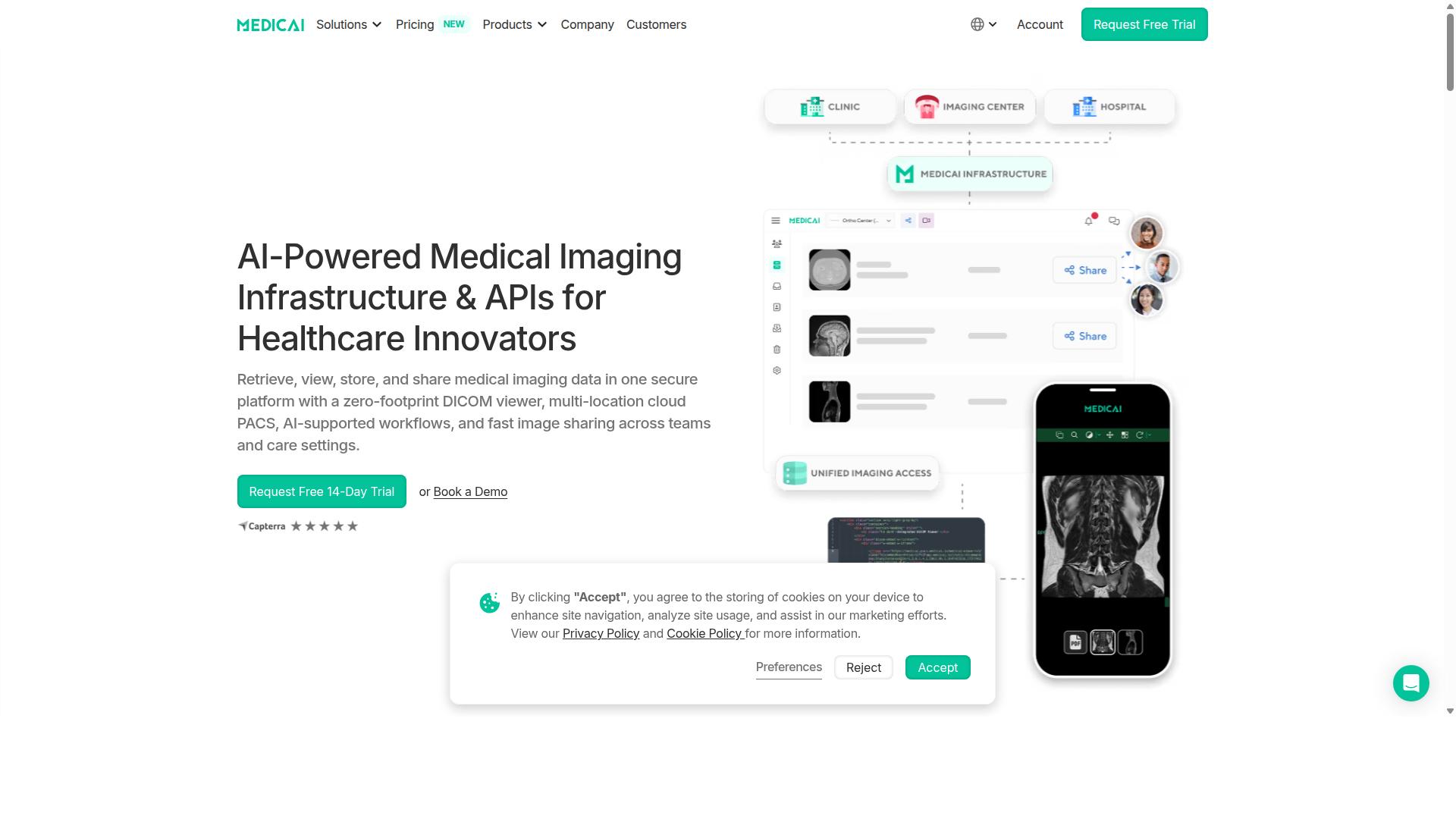
Medicai is a cloud-based medical imaging platform that enables healthcare providers to retrieve, view, store, and share medical imaging data in one secure platform with a zero-footprint DICOM viewer. In practical terms, it functions as a Cloud PACS, a picture archiving and communication system that lives on remote infrastructure rather than on servers inside a hospital basement.
The platform is built around a single purpose: making medical images easy to share securely between the people who need to see them. That includes radiologists, referring physicians, surgeons, and patients across different locations and care settings.
Medicai also provides Imaging Infrastructure as a Service (IIaaS). Instead of buying and maintaining hardware, healthcare organizations use imaging infrastructure delivered as a service, which shifts the burden of upkeep to the platform itself.
Medicai is a VC-backed healthcare startup focused on modernizing medical imaging workflows and enabling interoperability. That focus shapes both the product roadmap and the way the platform connects with the wider imaging ecosystem.
How it differs from traditional on-premise PACS. A conventional PACS requires local servers, storage arrays, IT staff, and periodic hardware refreshes. Medicai is cloud-native, so there is no on-site infrastructure to install or replace.
The zero-footprint DICOM viewer is central to this difference. Images are accessed through a browser rather than a workstation-bound client, which supports global accessibility for distributed teams and remote readers.
Medicai states compliance with HIPAA and GDPR, along with FDA and CEE clearance. For buyers evaluating a Cloud PACS, those credentials matter because image sharing touches protected health information at every step.
Key capabilities described by the company include:
- A zero-footprint DICOM viewer for browser-based image review
- Multi-location cloud PACS for organizations spread across sites
- AI-supported workflows within the imaging process
- Fast image sharing across teams and care settings
Together, these capabilities position Medicai as a sharing-first Cloud PACS. The platform's stated goal is straightforward: help care teams move images quickly and securely, without the friction of traditional infrastructure or the delays that slow down diagnosis and treatment planning.
Why Medicai Is the Best Cloud PACS for Sharing Medical Images
Medicai's cloud-native architecture and comprehensive feature set make it a leading choice for sharing medical images across locations and specialties. The platform handles more than 1 million studies transacted or processed per year, with over 1.7 million studies in storage. Those figures matter because image sharing only works when the infrastructure behind it can keep pace with real clinical volume.
Scale alone is not the whole story. Medicai also reports more than 300,000 visualizations of DICOM studies in the last year and over 50 million yearly API transactions. Together, these numbers point to a system that is not just storing images but actively moving them between clinicians, institutions, and specialties every day.
For a buyer evaluating cloud PACS options, this track record speaks to two things: reliability and scalability. A platform trusted by 70 clinics and hospitals and more than 10,000 active doctors has to perform consistently across a wide range of radiology workflows and clinical settings.
Medicai also meets the compliance and security expectations that matter most in medical imaging. It is HIPAA and GDPR compliant, follows OWASP security guidelines, and offers FDA/CEE cleared viewers. The sections below break down the specific advantages that make it a strong fit for sharing medical images.
Zero-Footprint DICOM Viewer and Instant Image Exchange
Medicai's zero-footprint DICOM viewer runs entirely in a web browser, eliminating the need for local installations and enabling instant access to diagnostic-quality images from any device. There is nothing to download, update, or maintain on individual workstations, which removes a common barrier in radiology workflow and IT administration alike.
Because the viewer is web-based, it works across operating systems and hardware. A radiologist on a desktop, a surgeon on a tablet, and a referring physician on a laptop can all open the same study without compatibility issues. Mobile access extends this further, letting clinicians review images through the Mobile Imaging App when they are away from a workstation.
Instant image exchange relies on standards that support interoperability. Medicai works with DICOMweb, HL7, and FHIR, so studies can move between systems and institutions without manual conversion or proprietary lock-in. This is what makes teleradiology, second opinions, and multidisciplinary team reviews practical rather than painful.
The DICOM Viewer sits within the broader Medicai platform, alongside tools like the Doctor Imaging Portal, Patient Imaging Portal, and Medical Image Exchange. For organizations that need to share studies quickly and securely, this combination covers the full path from upload to diagnostic review.
Multi-Location Cloud PACS and Vendor Neutral Archive
Medicai's multi-location cloud PACS and vendor neutral archive (VNA) enable seamless image sharing across departments, facilities, and health systems, breaking down data silos. Instead of each site maintaining its own isolated storage, images consolidate into a central cloud environment that authorized users can reach from anywhere.
The VNA plays a key role here. It accepts images from different sources and vendors, so a health system does not have to standardize on one modality or imaging vendor to achieve a unified archive. This flexibility matters during PACS migration and when organizations grow through mergers or new site openings.
Scalability is built into the model. Cloud storage can start small and expand as volume grows, whether an organization needs a modest footprint or several terabytes and beyond. Medicai is available globally online, so multi-site and cross-border networks can share images without building regional data centers.
Interoperability with EHRs through HL7 and FHIR keeps imaging connected to the rest of the patient record. Combined with HIPAA and GDPR compliance and OWASP-aligned security practices, this gives growing organizations a cloud PACS foundation that can scale without sacrificing data security or access control.
Key Features: What Makes Medicai Stand Out
Medicai's feature set goes beyond basic image storage to include advanced tools for retrieval, management, and AI-supported workflows. It positions itself as a complete Cloud PACS platform rather than a single-purpose image archive.
For buyers comparing vendors, that breadth matters. A picture archiving and communication system that also handles image exchange, structured reporting, and AI-supported diagnostics reduces the number of separate tools a radiology department has to license, integrate, and maintain.
Medicai's product line spans three broad areas: tools that connect and retrieve imaging data, tools that store and manage it, and tools that let clinicians access, visualize, and collaborate on it. Alongside these sit additional offerings such as a Radiology AI Co-Pilot, AI-Powered Diagnostics, Teleradiology, a Medical Image Sharing Platform, and Tumor Boards support.
This range is relevant to vendor selection because it signals how far a platform can scale with an organization. A small clinic may start with an uploader and a viewer; a multi-site network may need a vendor neutral archive, disaster recovery, and teleradiology in the same environment. The sections below break down what each group of features actually covers.
Connect, Retrieve, Store, and Manage Imaging Data
Medicai streamlines the entire imaging data lifecycle with tools for connecting sources, retrieving studies, storing securely, and managing patient cases. The platform groups its capabilities into clear stages, which makes it easier to map against an existing radiology workflow.
Connect and retrieve covers the Medical Imaging Uploader and the DICOM Gateway. These are the entry points for getting studies into the system, whether from a modality, an outside facility, or a referring clinician sending images for review.
Store and manage includes Cloud PACS, Medical Image Exchange, Patient Case Management, Vendor Neutral Archive, and Backup and Disaster Recovery. Together these handle long-term cloud storage, cross-organization image exchange, and business continuity planning, all areas buyers should weigh carefully during PACS migration.
Access, visualize, and collaborate brings in Structured Reporting for Radiology, a Doctor Imaging Portal, a Patient Imaging Portal, a DICOM Viewer, the Medicai Imaging API, and a Mobile Imaging App. The DICOM Viewer is a zero-footprint viewer, meaning users work through a browser rather than installing software locally, which simplifies mobile access and remote reading.
Support for DICOM, HL7, and FHIR underpins this interoperability, helping the platform connect with EHR systems and health information exchange efforts. For buyers, the practical question is whether a vendor can ingest, store, and surface images across the systems a practice already uses. Medicai's modular structure lets organizations adopt pieces incrementally rather than replacing everything at once.
AI-Supported Workflows and Structured Radiology Reporting
Medicai enhances radiology workflows with AI integrations and structured reporting tools that improve diagnostic accuracy and efficiency. Rather than building every algorithm in-house, the platform connects with established AI partners, including MD.ai and Rayscape.ai.
These partnerships let AI integration and machine learning tools sit alongside the imaging data itself, so detection and analysis can feed into the same environment where studies are stored and reviewed. Buyers evaluating AI readiness should ask how a vendor handles model integration and whether results stay linked to the original study.
Structured reporting addresses a different pain point: inconsistent, free-text reports that are hard to search, share, or feed into downstream systems. Standardized output supports cleaner data sharing across departments and institutions.
Trust signals matter here too. Medicai's advisory board includes J. Michael Kramer, MD, lending clinical credibility to how these tools are shaped. The platform's wider partnership list includes MD.ai, Rayscape.ai, OHIF, MedDream, Microsoft Azure, Amazon AWS, Hetzner, Tquila Automation, FlexView, Meditice, Boehringer Ingelheim, New Relic, Atlassian, Intercom, Ahrefs, and PostHog.
Real-world results help illustrate the value. Neuroaxis reported 90% less time spent with non-relevant cases, 70% less face-to-face check-ups, and 1,300+ cases precisely diagnosed. YTS-Dental View reported 90% less time to access patient studies and integration across 10 locations in Romania.
For a buyer, the takeaway is that AI and structured reporting are only useful when they plug into a working Cloud PACS foundation. Medicai's approach pairs both with the storage, viewer, and sharing layers described above.
Pricing and Plans
Medicai offers transparent monthly pricing plans designed to scale with your organization's storage and connectivity needs. There are no hidden tiers or vague "contact us for a quote" walls on the entry-level options, which makes vendor comparison far easier during a buyer's guide evaluation.
The structure is simple: you pay for cloud storage capacity and the number of connected locations you need. User accounts are not metered, so a growing radiology team does not trigger a price increase every time a new reader joins.
| Plan | Monthly Price | Yearly Price | Cloud Storage | User Accounts | Connected Locations |
|---|---|---|---|---|---|
| Starter | $249/month | $209/month paid yearly | 500 GB | Unlimited | None |
| Standard | $749/month | $639/month paid yearly | 2 TB | Unlimited | One |
| Enterprise | Custom | Custom | Custom | Unlimited | Multiple connected and external locations |
Yearly billing saves 15% on both published tiers, which is a meaningful reduction for practices committing to a long-term picture archiving and communication system platform. The trade-off is straightforward: monthly billing preserves flexibility, while annual billing lowers the effective rate.
The Starter plan at $249/month suits small practices, individual radiologists, and teleradiology groups that need cloud storage and image sharing without a physical site tied into the platform. With 500 GB of cloud storage and unlimited user accounts, it covers a lean operation where the priority is a zero-footprint viewer and secure access rather than multi-site connectivity.
The Standard plan at $749/month fits multi-location clinics and imaging centers that need one facility connected directly to the platform. The jump to 2 TB of cloud storage reflects the larger study volumes that come with a connected site, and unlimited user accounts still apply.
For larger enterprises, custom pricing covers custom cloud storage plus multiple connected locations and multiple external locations. Per-study pricing is also available for enterprise customers, which can align cost with actual imaging volume rather than a flat monthly fee.
One cost that buyers should plan for separately is DICOM Gateway setup, billed at $1,000 one-time per location. This is a common line item in cloud PACS migration budgets, since connecting a site to any cloud platform involves configuration work that a subscription fee alone does not cover.
Medicai includes a free 14-day trial of Starter plan features, and no credit card is required to begin. That gives a practice a low-risk way to evaluate the web-based viewer and storage workflow before committing.
Be aware that refunds are not available for partial periods, so timing a downgrade or cancellation matters. For a single-site clinic weighing Standard against Starter, the deciding question is simple: does the practice need a connected location? If not, Starter delivers the core image sharing capability at roughly a third of the price.
Trust Signals: Compliance, Track Record, and Testimonials
Medicai demonstrates trustworthiness through rigorous compliance, a proven track record, and positive feedback from healthcare providers. For any Cloud PACS under evaluation, these signals matter as much as the feature list. A picture archiving and communication system holds some of the most sensitive data in healthcare, so buyers need evidence that a vendor can protect it, prove it, and keep the service running.
This section covers the three areas that separate credible vendors from risky ones: regulatory compliance and security, operational scale, and real-world outcomes reported by hospitals and imaging centers.
Compliance and security. Medicai is HIPAA and GDPR compliant, and offers FDA/CEE Cleared Viewers. The platform follows OWASP security guidelines, a widely recognized framework for protecting web applications. For buyers, these credentials answer the first question in any vendor selection process: can this system legally and safely handle protected health information across borders?
Security in a Cloud PACS extends beyond certification. Encryption, access control, and audit trail capabilities are standard expectations, and buyers should confirm how each is handled before signing. Compliance documentation should be current and available for review during due diligence.
Track record at scale. Operational metrics reveal whether a platform performs in production, not just in demonstrations. Medicai's numbers show meaningful activity across its user base:
- 1M+ studies transacted or processed per year
- 1.7M+ studies in storage
- 50M+ yearly API transactions
- 300k+ visualizations of DICOM studies in the last year
- 2M+ imaging studies uploaded
- 70 clinics and hospitals on the platform
- 10,000+ active doctors on the platform
These figures matter for image sharing specifically. High API transaction volume signals that the platform supports interoperability workflows such as DICOMweb, HL7, and FHIR, which connect a Cloud PACS to EHRs, health information exchanges, and teleradiology networks. A system handling 50M+ yearly API transactions is built for the integration demands of modern radiology workflow.
Uptime, SLA, and continuity. Clinical image sharing cannot pause for maintenance windows. Buyers should ask every vendor for uptime guarantees, SLA terms, and disaster recovery plans. Medicai's partnership with Microsoft Azure supports business continuity through enterprise-grade cloud infrastructure. When evaluating any platform, request written SLA commitments and confirm how quickly access is restored after an outage.
Testimonials and real-world impact. The strongest trust signal is what providers actually do with the platform. Medicai has been featured in press for enabling global multidisciplinary tumor boards and helping Ukrainian refugee patients access cancer treatments. These cases show the platform in demanding, cross-border scenarios where image exchange and specialist collaboration are critical.
Medicai also reports reducing diagnosis time by 65%, a metric that speaks directly to radiology workflow efficiency. For hospitals and imaging centers comparing vendors, ask for references from organizations with similar study volumes and subspecialty needs.
What to verify during vendor selection. Use this checklist when assessing any Cloud PACS:
- Current HIPAA and GDPR compliance documentation
- FDA/CEE clearance status for diagnostic viewers
- Security framework adherence, such as OWASP guidelines
- Audit trail and access control capabilities
- Uptime history and SLA terms in writing
- Disaster recovery and business continuity provisions
- References from comparable hospitals or imaging centers
- Evidence of interoperability through DICOM, DICOMweb, HL7, and FHIR
Medicai meets these trust criteria with cleared diagnostic viewers, recognized security practices, substantial transaction volume, and documented clinical impact. For buyers, that combination of compliance, scale, and proven outcomes makes it a credible choice for sharing medical images in the cloud.
Who Should Use Medicai
Medicai is designed for a wide range of healthcare providers that need to share and manage medical images efficiently. The platform serves organizations of different sizes and specialties, from single-site clinics to multi-location hospital networks. Its cloud-based approach means users can access and exchange medical imaging without being tied to on-premise infrastructure.
Below are the main groups that benefit most from what Medicai offers, along with the reasons each one fits.
- Hospitals: Multi-location facilities need a consistent way to share studies across departments and sites. Medicai supports this by giving teams a shared environment for image access and exchange.
- Imaging centers: High-volume diagnostic operations handle constant image traffic. A cloud picture archiving and communication system helps them manage that flow and share results with referring physicians.
- Specialty care providers: Orthopedics, neurology, oncology, radiology, cardiology, ophthalmology, ob-gyn, pulmonology, dentistry, and gastroenterology all rely on imaging for diagnosis and treatment planning. Each specialty benefits from having images available where and when they are needed.
- Virtual care providers and telemedicine platforms: Remote consultations depend on timely access to imaging. Medicai supports these workflows by making image sharing possible without physical media.
- Teleradiology services: Distributed reading teams need reliable access to studies from any location. A cloud platform removes the friction of shipping CDs or maintaining local servers.
- Tumor boards: Multidisciplinary teams review complex cases together. Having a shared image repository supports these collaborative discussions.
- Clinical trials: Research teams need organized access to imaging data across sites. Medicai helps centralize that access.
- Medical education organizations: Teaching institutions can use shared imaging for training and case review.
- Personal injury lawyers: Legal teams reviewing medical evidence benefit from organized access to imaging records.
- Patients: Medicai also serves patients through its Patient Portal, giving individuals a way to access their own medical images.
For specialty care providers, the value of a cloud PACS often comes down to how well it fits the rhythm of their clinical work. A cardiology practice reviewing echocardiograms, or an oncology team tracking tumor response over time, needs images that are easy to retrieve and share with colleagues. Medicai's platform is built for these kinds of image-sharing needs across specialties.
For hospitals and imaging centers, the challenge is usually scale. Multiple locations, different departments, and a steady stream of studies create pressure on any image management system. A cloud-based approach helps these organizations avoid the cost and complexity of maintaining local infrastructure while still supporting the sharing needs of a distributed care team.
For teleradiology groups and virtual care providers, the priority is access from anywhere. Reading from a home office or a remote site requires that images are available on demand. Medicai's cloud model supports this kind of flexible access without requiring users to be on a hospital network.
If your organization falls into any of these categories and struggles with image sharing across locations, systems, or teams, Medicai is worth evaluating as part of your vendor selection process. The platform's focus on cloud-based image sharing aligns well with the direction many healthcare organizations are moving.
Final Verdict
Medicai stands out as a robust, scalable, and secure cloud PACS solution for healthcare providers seeking to improve image sharing and workflow efficiency. Across this buyer's guide, the pattern is consistent: the platform pairs a zero-footprint viewer with multi-location support and AI integrations, all wrapped in the compliance and access controls that medical imaging demands.
For radiology groups, teleradiology networks, and hospital systems weighing vendor selection, that combination matters. A web-based viewer removes the burden of local installs, while DICOM and DICOMweb interoperability keeps image exchange practical across sites and systems.
Compliance is not an afterthought either. Encryption, access control, and audit trail capabilities support HIPAA compliance and GDPR obligations, which are non-negotiable for any picture archiving and communication system handling patient data.
Pricing transparency rounds out the case. Buyers comparing cloud PACS options often struggle to get clear numbers upfront, and Medicai's approach makes budget conversations easier from the first call.
The recommendation is straightforward. If your priority is fast, secure image sharing across locations without a heavy on-premise footprint, Medicai deserves a serious look. Providers focused on teleradiology, image exchange, or replacing an aging PACS will find the fit especially strong.
For sales inquiries and a tailored walkthrough, reach out directly:
- Medicai USA: 7901 4th St N, STE 300, St. Petersburg, FL, 33702. Phone: +1 (832) 220 1035
- Medicai Romania: 53-55 N Filipescu, 5th Floor, Sector 2, Bucharest, 020961. Phone: +40 316 305 875
- Email: [email protected]
The clearest path to a decision is a direct conversation about your imaging volumes, locations, and integration needs. Medicai's team can map those requirements to the platform's capabilities and give you the specifics this guide cannot cover for every environment.
Frequently Asked Questions
What should healthcare providers look for when choosing a cloud PACS for image sharing?
Prioritize security and compliance, since medical imaging data is highly sensitive: look for HIPAA and GDPR compliance, clear access controls, and disaster recovery options. Also evaluate how easily the platform connects to your existing systems (DICOM gateways, uploaders), whether it supports multi-location workflows, and whether the viewer is zero-footprint so referrers and patients can open studies without installing software. Medicai, for example, combines retrieval, storage, viewing, and sharing in one cloud platform with a zero-footprint DICOM viewer and FDA/CEE-cleared viewers available.
How does Medicai support sharing medical images across multiple locations or organizations?
Medicai is built as a multi-location cloud platform, so providers can retrieve, view, store, and share imaging data in one secure environment rather than juggling separate systems per site. Its Medical Image Exchange and Patient Case Management features support collaboration between locations and care teams, while the DICOM Gateway and Medical Imaging Uploader handle getting studies into the platform. This makes it practical for hospitals, imaging centers, and specialty practices that need to share studies with referrers or across sites.
Is Medicai suitable for small practices, or is it only for large hospitals?
Medicai serves a broad range of healthcare providers, from hospitals and imaging centers to specialty care practices in areas like orthopedics, neurology, oncology, radiology, cardiology, and virtual care. Its monthly plans start with a Starter tier at $249/month (500 GB cloud storage, unlimited user accounts, no connected locations) and a Standard tier at $749/month (2 TB storage, unlimited user accounts, one connected location), with custom Enterprise pricing for larger needs. That range means smaller practices can start lean while larger organizations can scale up.
What security and compliance standards does a cloud PACS need to meet?
At minimum, a cloud PACS handling patient imaging should be HIPAA and GDPR compliant, since these cover US and EU patient data protection requirements. Beyond certifications, ask about secure data transmission, access management, and backup and disaster recovery capabilities to protect against data loss. Medicai is HIPAA and GDPR compliant and includes Backup and Disaster Recovery among its core services, alongside a Vendor Neutral Archive for long-term storage.
Can Medicai connect with our existing PACS, EHR, or other imaging tools?
Medicai offers a DICOM Gateway and Medical Imaging Uploader to connect and retrieve studies from existing systems, plus APIs for programmatic access (the platform handles 50M+ yearly API transactions). It also partners with a range of imaging and healthcare technology providers, including MD.ai, OHIF, MedDream, Rayscape.ai, Microsoft Azure, Amazon AWS, and others. Exact integration requirements depend on your current setup, so it's best to discuss your specific systems with the Medicai team directly.
How much does a cloud PACS like Medicai cost, and what affects the price?
Medicai's published monthly pricing starts at $249/month for the Starter plan (500 GB storage, unlimited users, no connected locations) and $749/month for Standard (2 TB storage, unlimited users, one connected location), with custom Enterprise pricing for organizations needing more. In general, cloud PACS pricing typically scales with storage volume, number of connected locations, and advanced features, so the right plan depends on your study volume and how many sites you need to link. For a tailored quote, you can contact Medicai at [email protected] or +1 (832) 220 1035.
Recommended Resources: